A professional editor, in a browser tab.
Open a tab and cut on a frame-accurate timeline. Rendering runs on our servers, and when it's time to finish in Premiere Pro, DaVinci Resolve, or Final Cut Pro, you hand off the timeline itself.
Included in Kringl. Sign in with the account you already have.
We're opening the room gradually. Not on Kringl yet? Leave your details and we'll reach out when it's your turn.
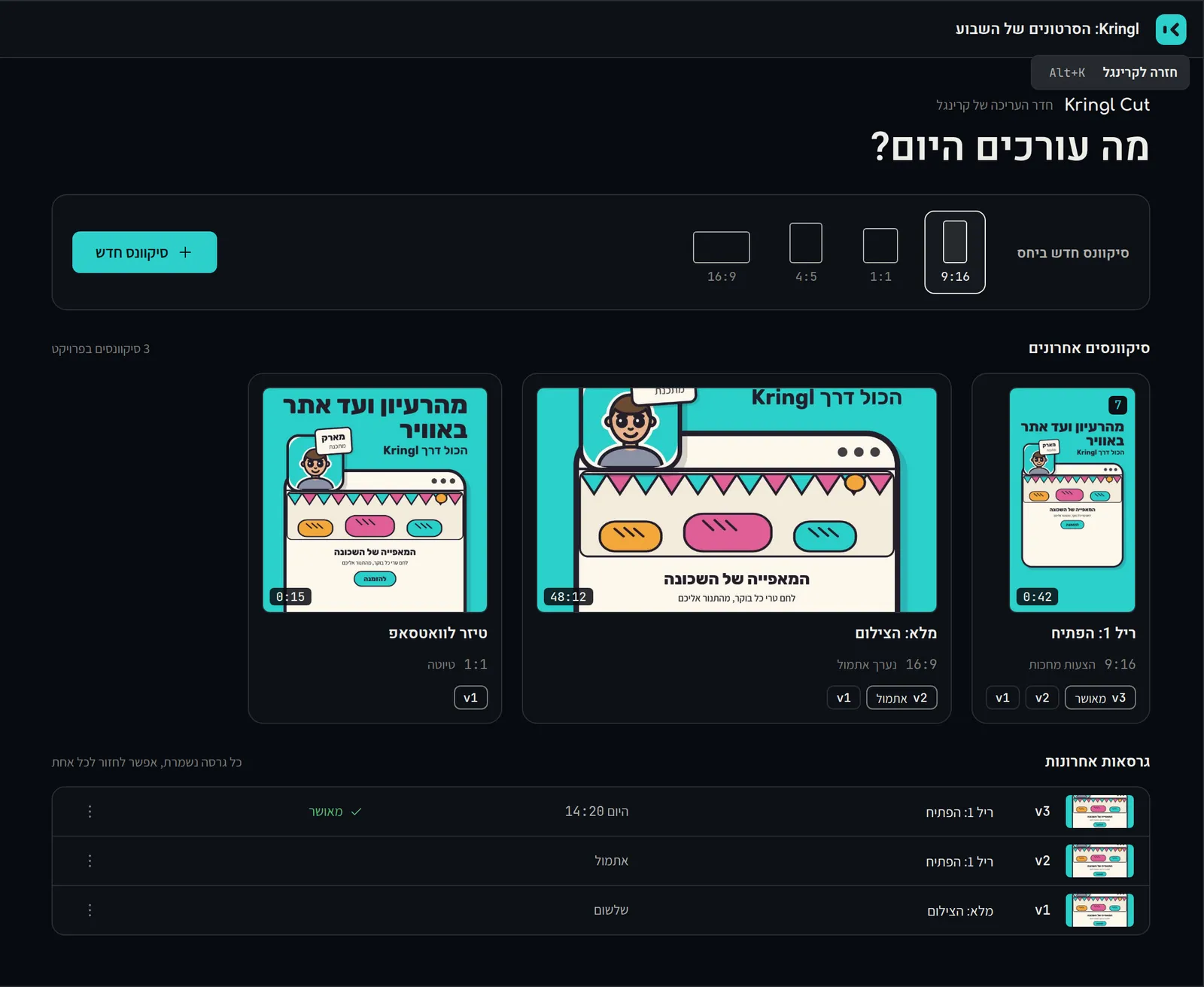
One project, three views.
-
00:00:00:00
The start screen. Your sequences and versions, and the aspect ratio, picked before you cut. -
00:00:12:08
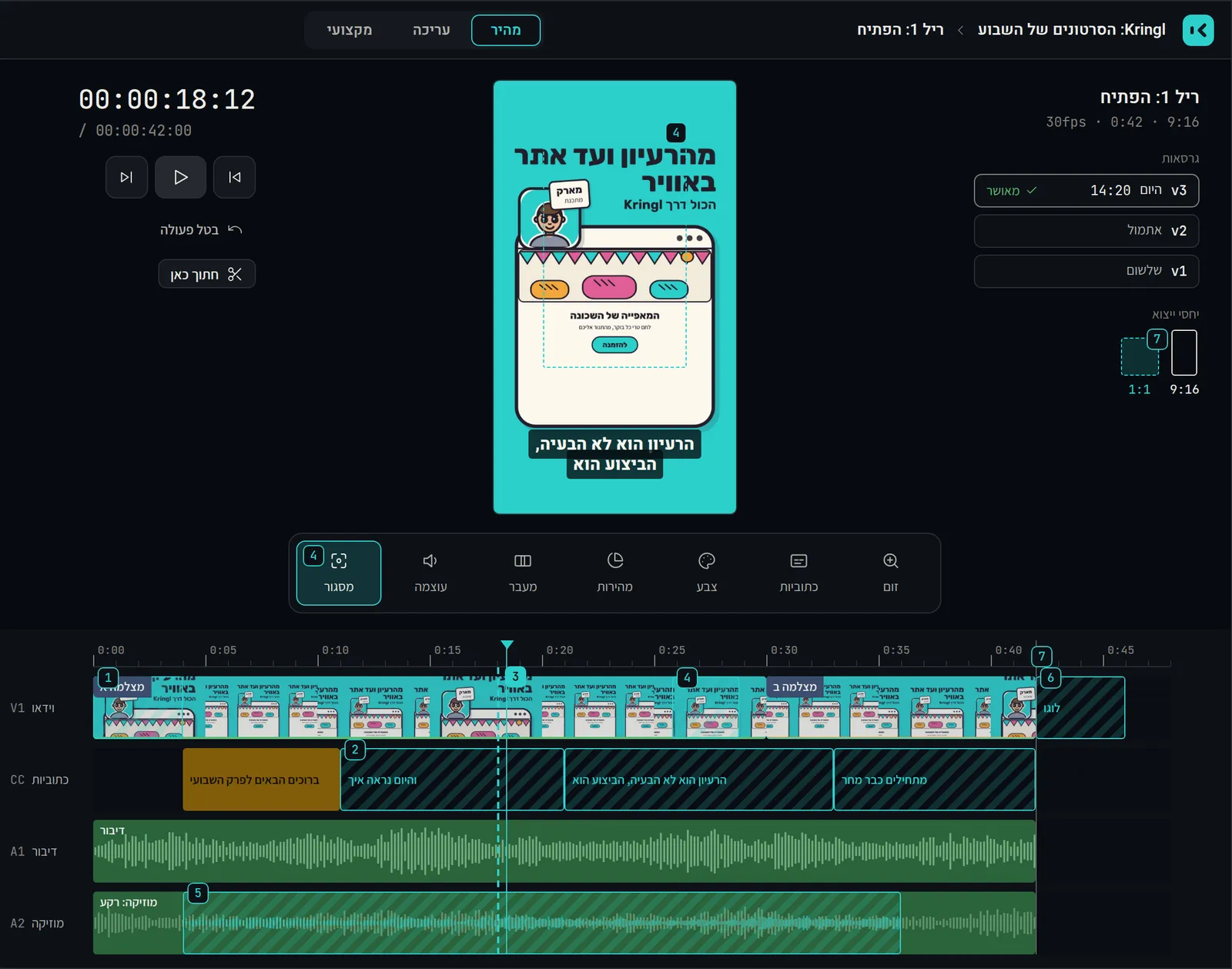
Quick mode. One timeline, a vertical monitor, and a row of effects. -
00:00:31:15
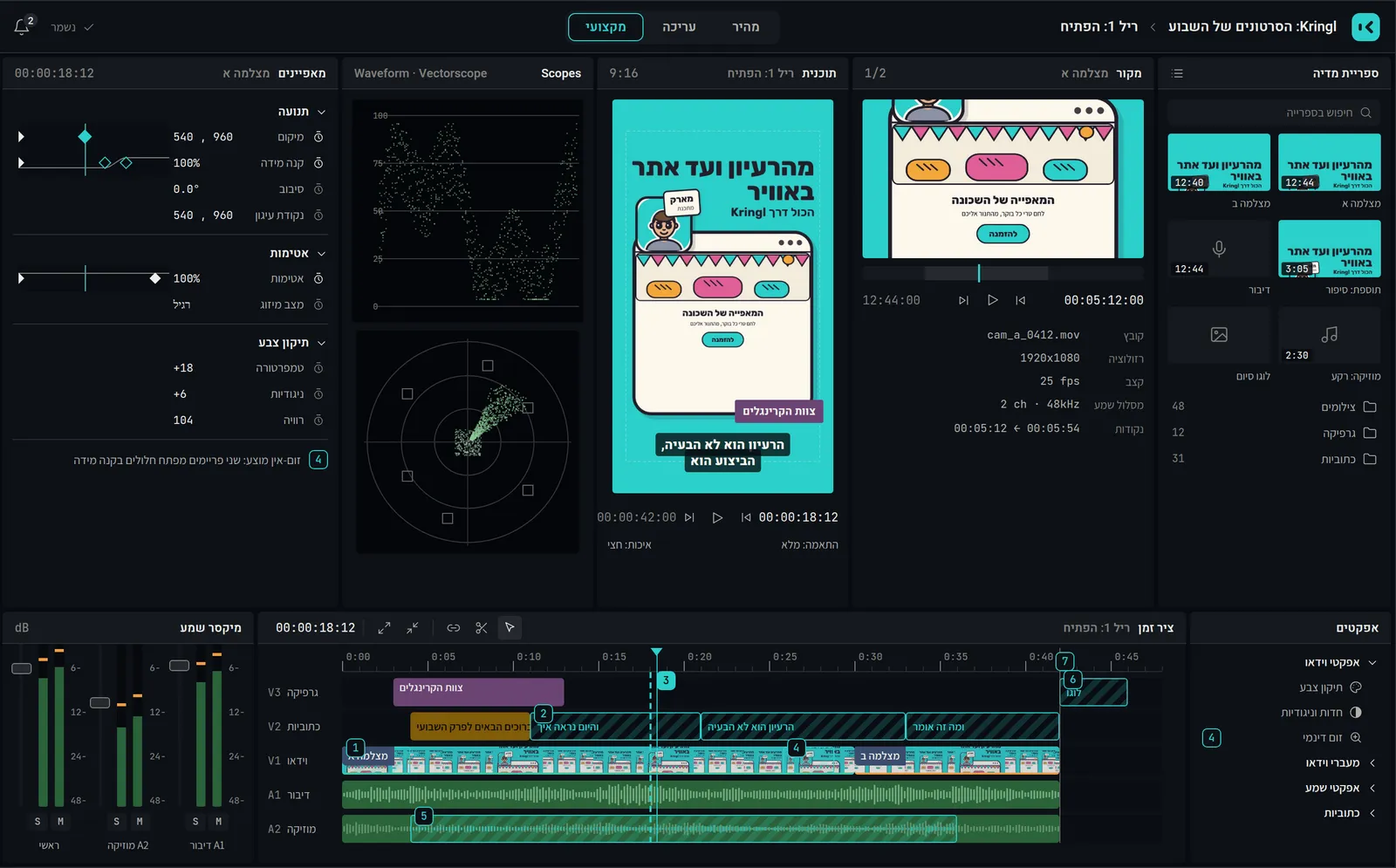
Pro mode. Tracks, keyframes, and the properties panel. Same project, more on screen.
What already works.
-
Nothing to install
A frame-accurate timeline, tracks, effects, transitions, and live preview, all running on a GPU engine inside your browser.
-
Hebrew captions, right to left
Captions come straight from the transcript, set right to left the way Hebrew should be. You fix them by editing the text.
-
A timeline, not an MP4
Your finishing editor gets a timeline they can keep cutting, not a flattened export.
-
Rendering runs on our side
Hit export and the render runs in our cloud. Your laptop doesn't do the heavy lifting.
-
Edit in the platform's ratio
9:16, 1:1, 4:5, and 16:9 are working modes. Pick one at the start and edit inside it.
Finish where you always finish.
Start the cut in the browser and finish it in the software you already know. The finishing editor gets an editable timeline that opens in Premiere Pro, DaVinci Resolve, or Final Cut Pro, not a flat file to rebuild from.
A Kringl who edits with you.
Coming soon: a Kringl who suggests changes right on the timeline. You see what would change, then approve it or don't.
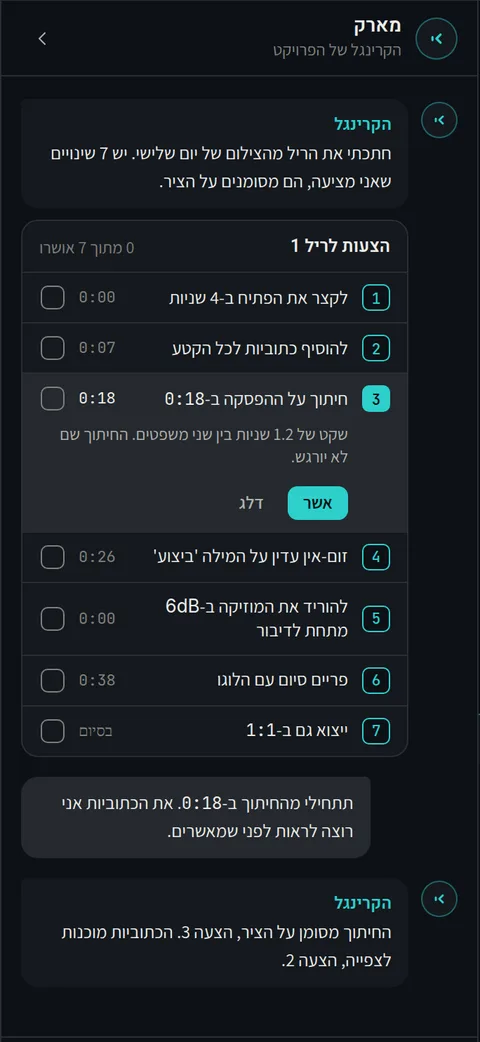 Coming soon
Who it's for.
Creators and social editors who live in 9:16 and want Hebrew captions without typing them out.
Editors on in-house studio teams who juggle several versions of the same project.
Freelance editors who finish in Premiere Pro, DaVinci Resolve, or Final Cut Pro and want a timeline handed over, not a flat file.
Your first video in the room.
For a team or an editor who isn't on Kringl yet. The room opens in the order people sign up: fill this in and we'll reach out when it's your turn.
Already on Kringl? Sign in
Got it, thanks.
We'll get back to you when the room opens for your video.
Questions.
What do I need to get started?
A browser. Editing happens there and rendering happens on our servers, so there's nothing to download or install.
Does it handle Hebrew?
Yes. Transcription is in Hebrew, and the captions come out of it right to left, ready to edit as text.
Can I finish in Premiere Pro, DaVinci Resolve, or Final Cut Pro?
Yes. You hand off an editable timeline as FCPXML, XML, OTIO, or EDL and open it where you finish.
When can I start?
We're opening gradually, in the order people sign up. There's no date yet, and we'll reach out when your turn comes.
What happens to my videos?
Your videos are stored in Europe, used only for your work and never to train models, and deleted on request.
How much does it cost?
Included in Kringl. Sign in with the account you already have.
Kringl Cut is the editing room at Kringl. Meet the rest of the Kringls at kringl.ai.
Premiere Pro, DaVinci Resolve and Final Cut Pro are trademarks of their respective owners, and Kringl Cut is not affiliated with them. Terms of use